

Meet Movidmo's AI Generators: Create a Professional Video or Image in Seconds
Meet Movidmo's AI Generators: Create a Professional Video or Image in Seconds
We are excited to introduce two powerful new tools to the Movidmo platform: the AI Video Generator and the AI Image Generator. Both tools work the same way — you describe what you want in plain language, and Movidmo's AI builds it for you. No templates to browse, no design decisions to make, no media to hunt down. Just type, click, and create.
In this post we walk you through how both tools work, show you four real examples generated with actual prompts, and share some honest notes on what to expect from the results.
How the AI Video Generator Works
The AI Video Generator is designed for anyone who wants a polished, professional video but does not know where to start — or simply does not have the time to build one from scratch.
Step 1: Go to the AI Video Generator
Head to movidmo.com/ai-video-generator. You will need a free Movidmo account to generate a video.
Step 2: Choose your format
Select Wide (YouTube, Facebook, Twitter), Square (Instagram), or Vertical (Stories, TikTok, Pinterest) depending on where you plan to use your video.
Step 3: Describe your video
Type a plain-language description of the video you want. The more detail you provide — the subject, the mood, the message, specific text you want included — the better the result. A good description covers:
- What the video is about
- The feel or atmosphere (energetic, warm, professional, playful)
- Any specific text that should appear, such as a headline, tagline, or URL
Step 4: Generate
Click Generate and wait about 30 seconds. Movidmo's AI searches for matching stock photos and video clips, selects mood-matched music, designs the layout, chooses fonts and colors, and assembles a complete multi-scene video session — all automatically.
Step 5: Open in the Video Editor
The result opens directly in the Movidmo Video Editor where you can review the output, swap in your own media, adjust text, change colors, and publish when you are ready.
AI Video Generator Example 1: Riverside FC Youth Soccer League
The prompt:
"A highlight video for a youth soccer league called Riverside FC. Energetic and inspiring. Kids playing soccer, team spirit, outdoor fields. Include 'Fall Season Registration Open', 'Ages 5-14 Welcome', and 'Register at riversidefc.com'."
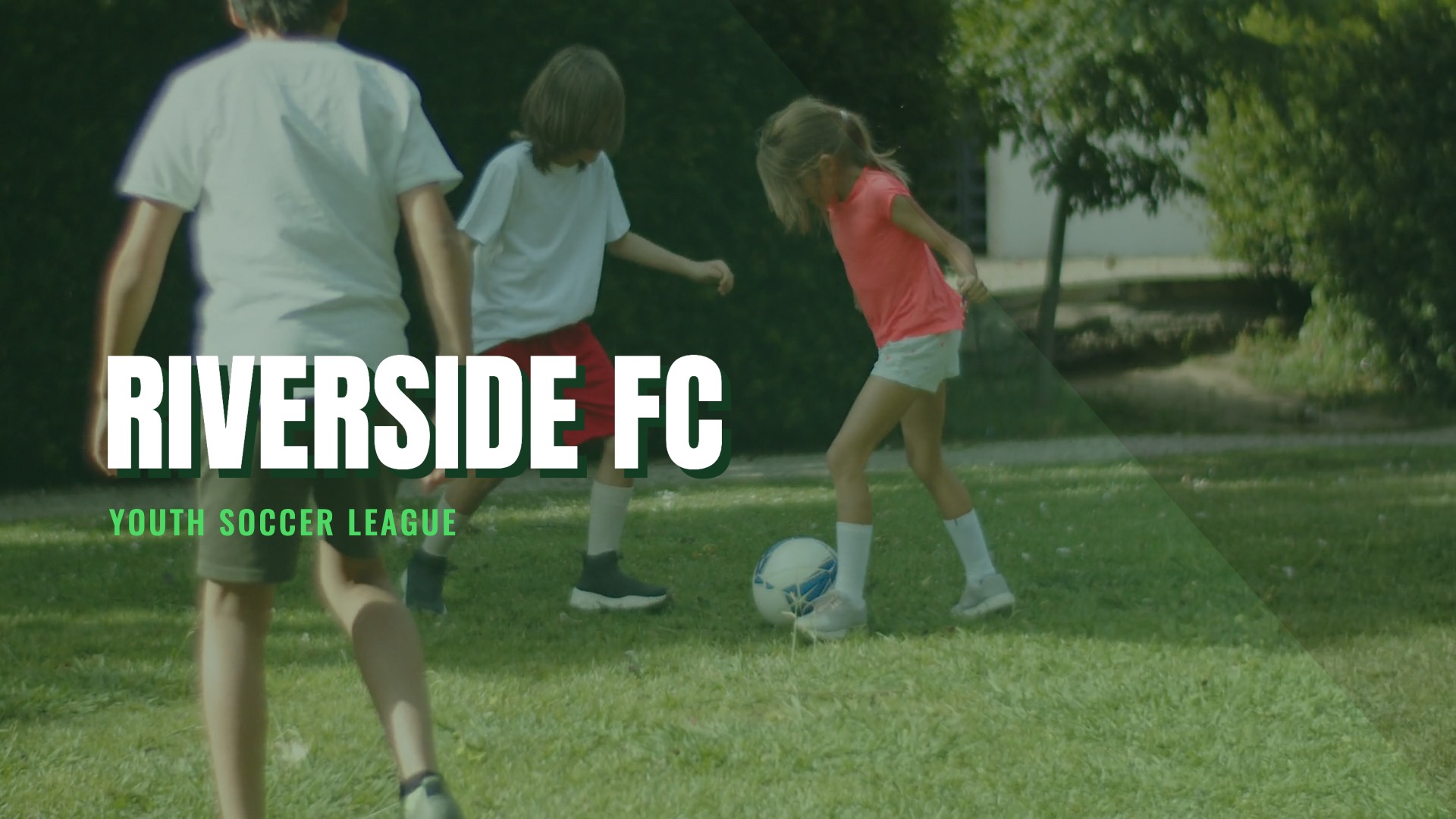
The AI produced a 30-second video structured across three clear scenes. The opening scene features youth soccer video footage overlaid on a deep green gradient with the Riverside FC name stomping in with a bold Anton font. The second scene transitions to registration information with a photo panel sliding in from the right, framed with a rounded green border. The final scene delivers a strong "Register Today" call to action with green confetti and the website URL prominently displayed.
The color palette — deep green, bright green, and white — was chosen automatically based on the soccer theme. The music selected was an energetic rock instrumental that matches the pace of the video well.
Edits required: A few minor sizing and crop adjustments were made in the editor before publishing. Overall the AI got the structure, color palette, and messaging exactly right on the first pass.
AI Video Generator Example 2: Blue Note in the Park Jazz Festival
The prompt:
"A promotional video for an outdoor jazz festival called Blue Note in the Park. Warm summer evening atmosphere, live music, happy crowd. Include 'Every Sunday in July', 'Free Admission', and 'bluenotepark.com'."
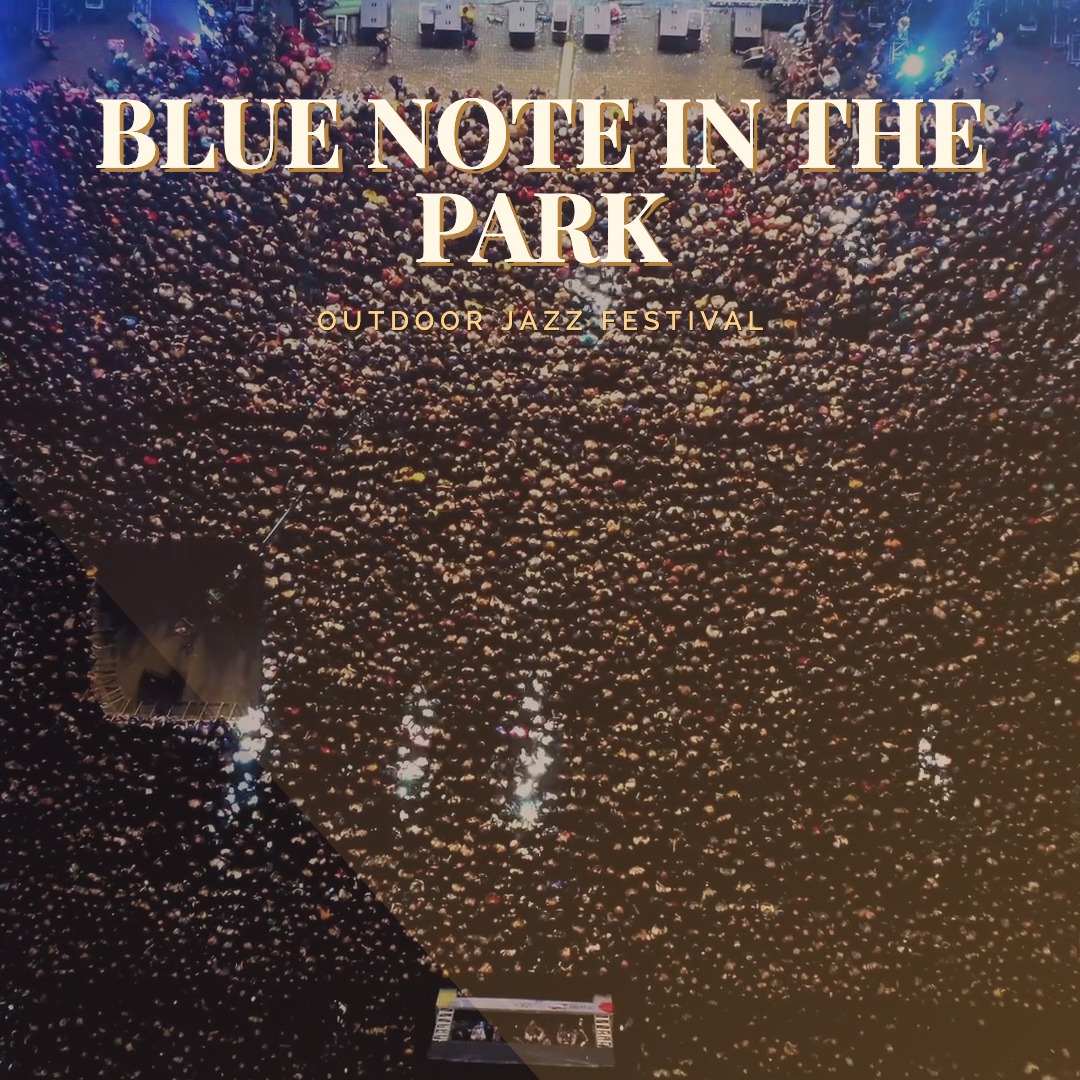
This is a great example of the AI nailing the brief entirely on the first try — no edits were required before publishing. The AI chose a sophisticated deep purple-to-gold gradient that perfectly captures the warm evening atmosphere of an outdoor jazz festival. The typography pairing of Playfair Display for headlines and Raleway for supporting text feels refined and appropriate for the subject matter.
The three-scene structure moves naturally from the festival title card, through the schedule information with two circular photo panels of jazz performances, to a warm "Free Admission" call to action with gold confetti and a music note icon. The AI even selected a jazz soundtrack to match the theme. This example also demonstrates that the AI handles square format equally well — a useful format for Instagram and other social media feeds.
How the AI Image Generator Works
The AI Image Generator works the same way as the video generator but produces a static image rather than a video — perfect for social media posts, event announcements, promotional graphics, and thumbnails.
Step 1: Go to the AI Image Generator
Head to movidmo.com/ai-image-generator. A free account is required.
Step 2: Choose your format
Select Wide, Square, or Vertical depending on your intended use.
Step 3: Describe your image
Write a description that covers the subject, the visual feel, and any specific text elements you want included. The AI uses real stock photography from Pexels and Unsplash — not AI-generated imagery — so describe the kind of scene you are looking for and the AI will find and compose it.
Step 4: Generate
Click Generate. The AI selects appropriate photos, designs the layout, chooses fonts and colors, and composes a complete image.
Step 5: Open in the Image Editor
The result opens in the Movidmo Image Editor for any final adjustments.
AI Image Generator Example 3: Second Chance Rescue Animal Shelter
The prompt:
"A heartwarming social media image for an animal shelter called Second Chance Rescue. Cute dogs and cats, bright and hopeful feel. Include 'Give a Pet a Second Chance' and 'Adopt today at secondchancerescue.org'."
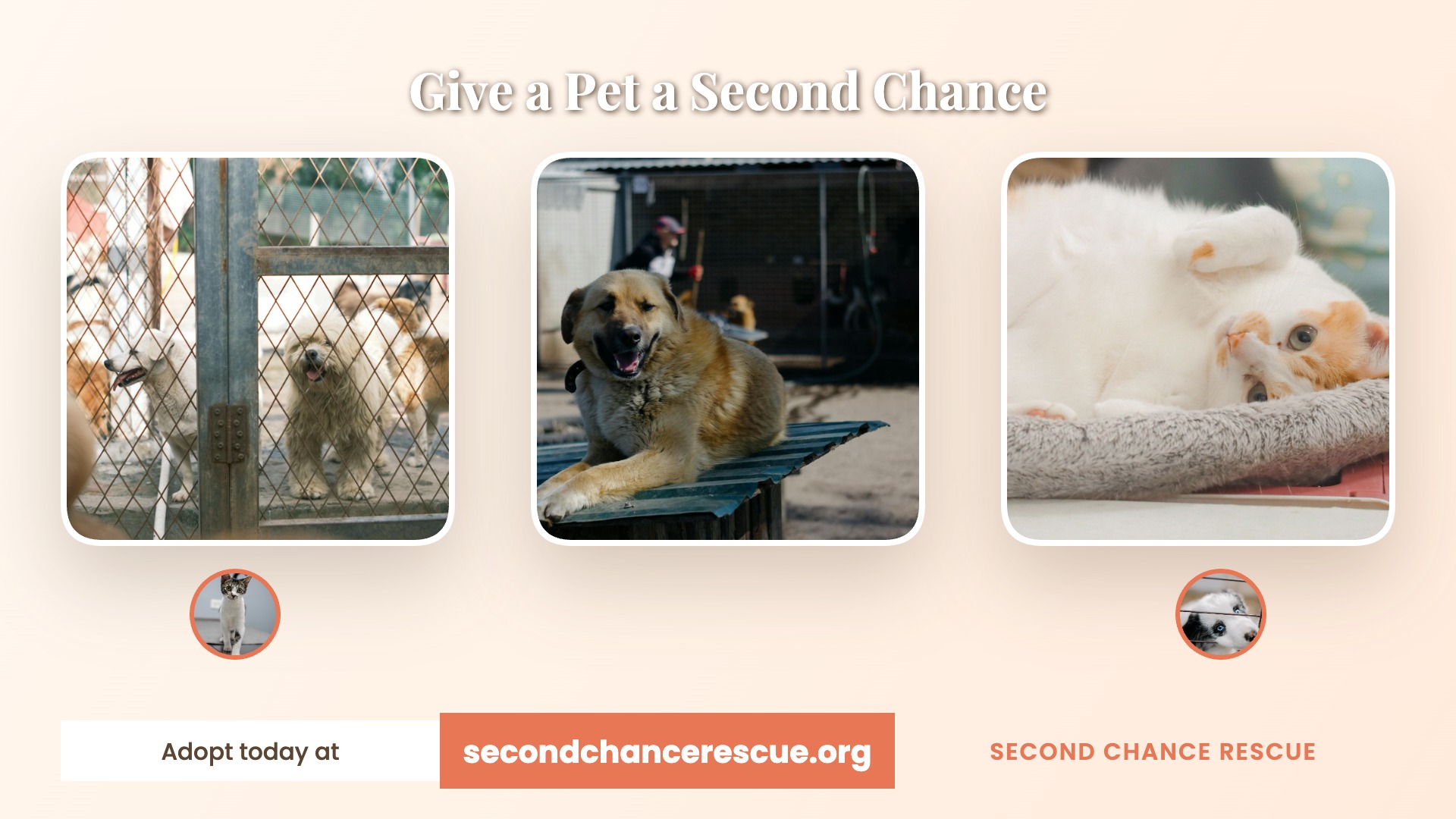
No edits were required for this example. The AI found warm, expressive pet photography and composed a bright, hopeful layout that perfectly matches the brief. The color choices feel cheerful and approachable — exactly the right tone for an animal shelter looking to encourage adoptions. A polished, professional social media image that would normally require a graphic designer was produced in under a minute from a single sentence description.
AI Image Generator Example 4: The Page Turners Book Club
The prompt:
"A stylish social media announcement image for a book club called The Page Turners. Cozy reading atmosphere, coffee, books. Include 'New Members Welcome', 'We Meet Every Second Thursday', and 'Join us at pageturners.com'."
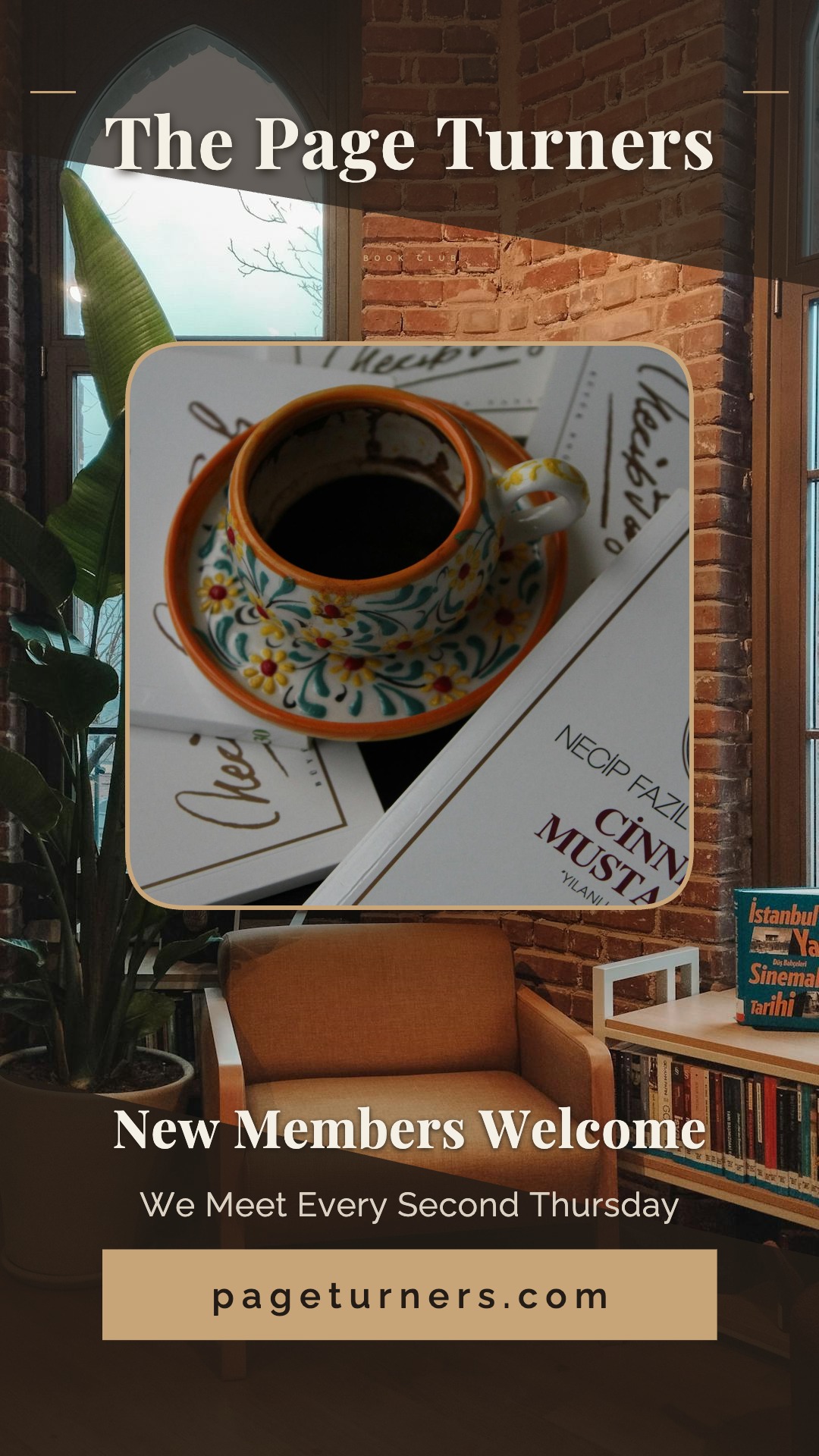
This example produced a beautiful result — warm candlelit photography as the background, an elegant Playfair Display and Raleway font combination, a gold and cream color palette, a rounded rectangle book photo panel, and two small gold accent lines framing the header. The composition feels genuinely sophisticated and would look great as an Instagram Story or Pinterest pin.
Edits required: The vertical format required some attention before publishing. Font sizes needed to be increased for the taller canvas, and a few text positions were adjusted. If you are generating vertical format images, plan to spend a couple of minutes in the editor checking that text sizes and positions look right on the full canvas. The underlying design and color choices were excellent — just the sizing needed tweaking.
Making the AI Better — Continuously
The four examples in this post are not just demos — they are real outputs that we used to improve the pipeline before publishing this article.
After generating and reviewing these examples, we identified a few areas where the AI needed guidance. Vertical format sessions in particular required attention: font sizes that looked correct in the generation preview were too small on the full 1080×1920 canvas, and text positions were clustered in the top portion of the frame rather than distributed across the full height.
We used these findings to update both the AI Video Generator and AI Image Generator pipelines — adding explicit vertical canvas guidance to the AI's instructions and a post-processing step that catches and corrects font sizes that fall below a readable minimum. Both generators are now better at producing vertical format content as a direct result of the work done for this post.
This is how we intend to keep improving these tools: generating real content, identifying what works and what needs refinement, and updating the pipeline accordingly. Every prompt you run helps us understand how the tools perform across different subjects, styles, and formats — and we are committed to making the AI smarter with every iteration.
Tips for Getting the Best Results
After generating dozens of videos and images with these tools, here are a few things that consistently produce better results:
- Be specific about text. The AI will include exactly the text you specify, so write out your headlines, taglines, and URLs in the prompt. Vague instructions like "include contact information" will not work as well as "include the text 'Call us at 555-1234'."
- Describe the mood, not just the subject. "A fitness video" produces a generic result. "An energetic, high-intensity fitness video with a dark background and bold typography" gives the AI much more to work with.
- Wide format is the most reliable. Wide (16:9) consistently produces the strongest results across both tools. Square is also very reliable. Vertical format works well but may require a few more editor adjustments, particularly for font sizing.
- The editor is always there. Think of the AI as a very capable starting point, not a final product. In most cases the AI gets the structure, colors, and messaging right — and the editor lets you refine the details. Swap in your own photos, adjust a font size, change a color to match your brand. The hard work is already done.
- Try more than one prompt. If the first result is not quite what you were looking for, try rephrasing your description. A small change in wording can meaningfully change the output.
We'd Love Your Feedback
If you generate a video or image with Movidmo's AI tools and something doesn't look right — or if the result genuinely surprises you — we want to hear about it. Your feedback directly informs how we improve the generators. Share your thoughts, your prompts, and your results using the Contact Us link at the top of the page.
Both the AI Video Generator and AI Image Generator are free to use with a Movidmo account.