Free Instagram Video Ad Maker

Create Instagram video ads for Reels, Stories and the feed in minutes. Start from a ready-made template, add your product photos and logo, or describe your ad and let AI build it.
  • Easy to build
  • No watermark
  • Every size: vertical, square, wide

Design Your Own Instagram Video Ad

Start from a template or a blank canvas and make it yours in the Movidmo video editor. Upload your product photos, video and logo, or search millions of free stock photos and clips from Pexels, Pixabay and Unsplash without leaving the editor. Add captions with eye-catching effects, bring in animations, shapes and filters, then pick a soundtrack.

Open the video editorBrowse templates

Or Let AI Build Your Instagram Ad

Describe the ad you want — your product, the offer and the mood. Upload your own product photos and clips, add stock media, or use both, and the AI Video Maker writes the captions, picks the music and builds the ad. Choose the vertical size for Reels and Stories. The result opens straight in the editor, so every word, photo, clip and color can still be changed.

Try the AI Video Maker

How to Create an Instagram Video Ad

Five steps, from the first idea to an MP4 you can upload to Instagram.
  1. Choose how to start

    Pick one of the video ad templates, start from a blank canvas, or let the AI Video Maker build a first draft.

  2. Choose the right size

    Vertical (1080×1920) for Reels and Stories, square (1080×1080) for the feed.

  3. Add your brand

    Swap in your product photos, logo and colors, or find stock photos and clips from Pexels, Pixabay and Unsplash.

  4. Write captions that work muted

    Most people watch with the sound off, so put the offer in the text and give it an entry effect.

  5. Publish and upload

    Publish your video and download the MP4, with no watermark, then upload it in the Instagram app or Meta Ads Manager.

Start from a templateLet AI build it

Instagram Video Ad Templates and Examples

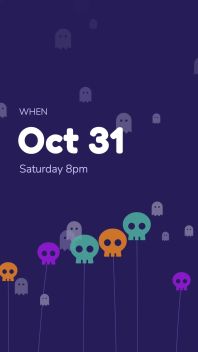
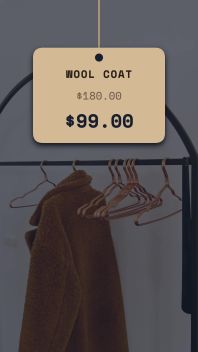
A few of our newest video ad templates, shown in the vertical size for Reels and Stories. Nearly all of them also come in square for the feed.

Get the Lowdown on Instagram Video Ads

Why Instagram video ads?

Instagram is one of the biggest places to reach customers. More than 3 billion people use it every month, and it's especially popular with younger adults.

Businesses can advertise in the feed, in Stories and in Reels. Feed ads appear between posts from friends and family; Stories and Reels ads play full screen between vertical videos. You can aim ads at specific demographics, interests and locations, and Instagram Insights shows how they perform.

People there are open to brands, too: brand posts on Instagram typically earn more engagement than on Facebook or X. If your business isn't already advertising on Instagram, now is the time to start.

  • 3B+people use Instagram every monthMeta, 2025
  • 80%of U.S. adults ages 18–29 use InstagramPew Research Center, 2025
  • 90%of Instagram users follow at least one businessInstagram

Instagram video ad sizes and specs

PlacementSizeLength Meta allowsIn Movidmo
Reels ads9:16 vertical, 1080×1920Up to 15 minutes; aim for 15 secondsVertical
Stories ads9:16 vertical, 1080×1920Up to 60 minutes; under 16 seconds plays as one story cardVertical
Feed ads1:1 square, 1080×1080 (the feed also shows taller video, up to 4:5)Up to 60 minutes; aim for 15–20 secondsSquare

Safe zone for Reels and Stories: keep text, logos and your offer out of the top 14%, the bottom 35% and 6% on each side, where Instagram's buttons and captions sit. File: MP4 with H.264 video and AAC audio, up to 4 GB — the format Movidmo exports. Source: Meta Ads Guide.

Tips for making an effective Instagram video ad

  • Hook them in the first seconds

    The opening decides whether people keep watching. Start with motion, a bold offer or a question. Movidmo templates are built to grab attention from the first frame.

  • Tell a story

    People stay with ads that feel personal. Show real people, real use, and why it matters to them.

  • Solve a problem

    Show a common problem and how your product fixes it. People tap through to learn more, and remember who helped.

  • Keep it short

    Aim for under 20 seconds, and 15 or less if you can. Most Movidmo video ad templates run 15 seconds or less.

  • Match the landing page

    Send people to a page that works well on a phone and picks up the ad's own message, so the click feels like the next step.

  • End with a call to action

    Finish as strong as you start, with your logo and one clear next step. Movidmo video ad templates include a call to action you can customize.

How Movidmo makes it easy

Movidmo is a free Instagram video ad maker with no watermark. Pick a template, start from scratch, or describe your ad and let AI build a first draft. Add your logo and product photos or free stock media, and publish an MP4 that's ready for Instagram. Make as many versions as you like.

Browse Instagram ad templatesTry the AI Video Maker

More Ways to Make Ads with Movidmo

The same free editor and templates, for every platform and message.

Facebook Video Ads

Scroll-stopping ads for the feed, Stories and Reels. See how to make Facebook video ads.

Video Ads Anywhere

Ads for YouTube, websites and everywhere else your customers watch. See how to make video ads.

Marketing Videos

Announcements, product demos and promos. See how to make marketing videos.

Social Video Posts

Keep your feed active between campaigns with video post templates.

AI Video Ads

Describe your ad and the AI Video Maker builds it with real stock media.

Instagram Graphics

Still posts and story graphics in the image editor or the AI Image Maker.

Instagram Video Ad Questions

Is the Instagram video ad maker free?

Yes. The templates, the video editor and the AI Video Maker are free, and your finished videos have no watermark. A free account is needed to save and download your work and to use the AI Video Maker.

Can AI make my Instagram ad?

Yes. Describe your product, offer and mood in the AI Video Maker, add your own photos and clips or stock media, and choose the vertical size. It writes the captions, picks the music and builds a draft you can edit in the video editor.

What size should an Instagram video ad be?

Use vertical 9:16 (1080×1920) for Reels and Stories, and keep text and logos out of the top 14%, bottom 35% and outer 6% of each side. Square 1:1 (1080×1080) works in the feed. Nearly all Movidmo ad templates come in both sizes.

How long should an Instagram video ad be?

Short. Aim for 15 to 20 seconds or less, with the key message in the first few seconds. Most Movidmo video ad templates run 15 seconds or less.

Can I use my own product photos and logo?

Yes. Upload your own photos, video clips and logo, or search millions of free stock photos and clips from Pexels, Pixabay and Unsplash inside the editor.

How do I get the ad onto Instagram?

Publish your video in Movidmo and download the MP4 (1080p or 720p), then upload it in the Instagram app or in Meta Ads Manager when you set up the ad.

Free to Make, With No Watermark

Make Instagram video ads for your products and promotions. Start designing right away — a free account is only needed to save, download or use AI.

Questions, feedback, or ideas? We'd love to hear from you.

We read every message and respond as quickly as we can.