

Food/Restaurant Video Templates

HAPPY HOUR SPECIALS Food/Restaurant Video Ad
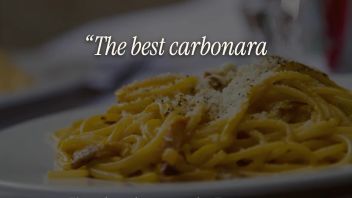
CUSTOMER REVIEW Food/Restaurant Video Ad

GRAND OPENING Food/Restaurant Video Ad

DAILY SPECIAL Food/Restaurant Video Ad

CATERING Food/Restaurant Video Ad

SOUP SEASON Fall Video Ad

BREWER Food/Restaurant Video Ad

SIMMERING Food/Restaurant Video Ad

LA BELLA CUCINA Food/Restaurant Video Ad

OKTOBERFEST Food/Restaurant Video Ad

MOTHER'S DAY BRUNCH Mother's Day Video Ad

HAPPINESS CHART Food/Restaurant Video Ad

FOODIE Food/Restaurant Video Ad

GET YOUR GREEN ON St. Patrick's Day Video Ad

FIND THAT GREEN HAT St. Patrick's Day Video Ad

GREEN BEER II St. Patrick's Day Video Ad

GREEN HAT St. Patrick's Day Video Ad

NEW YEAR'S PARTY New Year's Video Ad

LABOR DAY PICNIC Labor Day Video Ad

FOOTBALL IS BACK Food/Restaurant Video Ad

SUMMER COCKTAILS Summer Video Ad

TREAT YOURSELF Summer Video Ad

CELEBRATE CINCO DE MAYO Food/Restaurant Video Ad

GREEN BEER St. Patrick's Day Video Ad

FRESH Food/Restaurant Video Ad

EAT WELL Food/Restaurant Video Ad

BOXED WATER IS BETTER Food/Restaurant Video Ad

DEEP DISCOUNTS Food/Restaurant Video Ad

BETTER WITH AGE Food/Restaurant Video Ad

HERE'S TO Food/Restaurant Video Ad

TICKING CLOCK Food/Restaurant Video Ad

BRING IT Food/Restaurant Video Ad

WE DELIVER Food/Restaurant Video Ad

COOKING BLOG Food/Restaurant Video Ad

HAPPY HOUR Food/Restaurant Video Ad
Templates for the things a restaurant actually posts
Daily Special
One dish, one price, today only. A close-up of the plate, the name of the special and the price, then your restaurant name. Fifteen seconds, made to be posted before lunch and gone by tomorrow.
Happy Hour Specials
Quick cuts, bold prices: $5 drafts, $7 cocktails, half-price appetizers, weekdays 4 to 6. Ends on your bar’s name and “See you at 4.” Built for Reels and Stories, where happy hour gets decided.
Grand Opening
A countdown, the date and time, what is happening on the night, and the address. Post it a week out, then again the day before.
Catering
For offices and private events: how many guests you serve, that you deliver and set up, and that you handle dietary options, ending on a phone number. Calmer than the rest, because the person watching is planning something.
Customer Review
One real review, set large and readable, with the stars and the customer’s name, then a nudge to reserve. Paste in a review you have already received; it is the easiest video on this page to make.
Common template questions
Can I use my own food photos?
Yes, and you should. Stock food looks like stock food. Every photo and clip in these templates can be replaced with your own from your phone, and the template adjusts the crop for each size.
How do I change the special, the price or the hours?
Every line is editable text, not part of the picture. Open the template, click the line, type. The design keeps its layout; your words replace the sample ones.
Which size should I post?
Vertical (1080×1920) for Reels, TikTok and Stories; portrait (1080×1350) or square for Instagram and Facebook feeds; wide for your website, Google Business Profile and YouTube. Each template here offers all four, so make one and export the sizes you need.
Can I post the same template every week?
That is what it is for. Open your saved project, change the dish and the price, export again. A daily special or weekly happy hour post takes a couple of minutes once the template is yours.
Is there music?
Each template comes with a soundtrack chosen to fit it, and you can swap it for any track in the library. Most platforms let you mute or replace the sound on upload too.
Are these free, and can my restaurant use them commercially?
Yes to both. The templates and the editor are free, the finished video has no watermark, and you can use it for your own restaurant or for a client’s. See the terms of service for the detail.